 PhotoToTattoo
Nano Banana 2.1
Tattoo Generator.
Turn a photograph that means something to you into a personal tattoo concept. Powered by Nano Banana 2.1, shaped by your chosen style.
Sign in to generate · Choose your resolution · Cost shown before you submit
Drag to compare. You can also focus the slider and use the arrow keys.
The same gesture.
A different language.
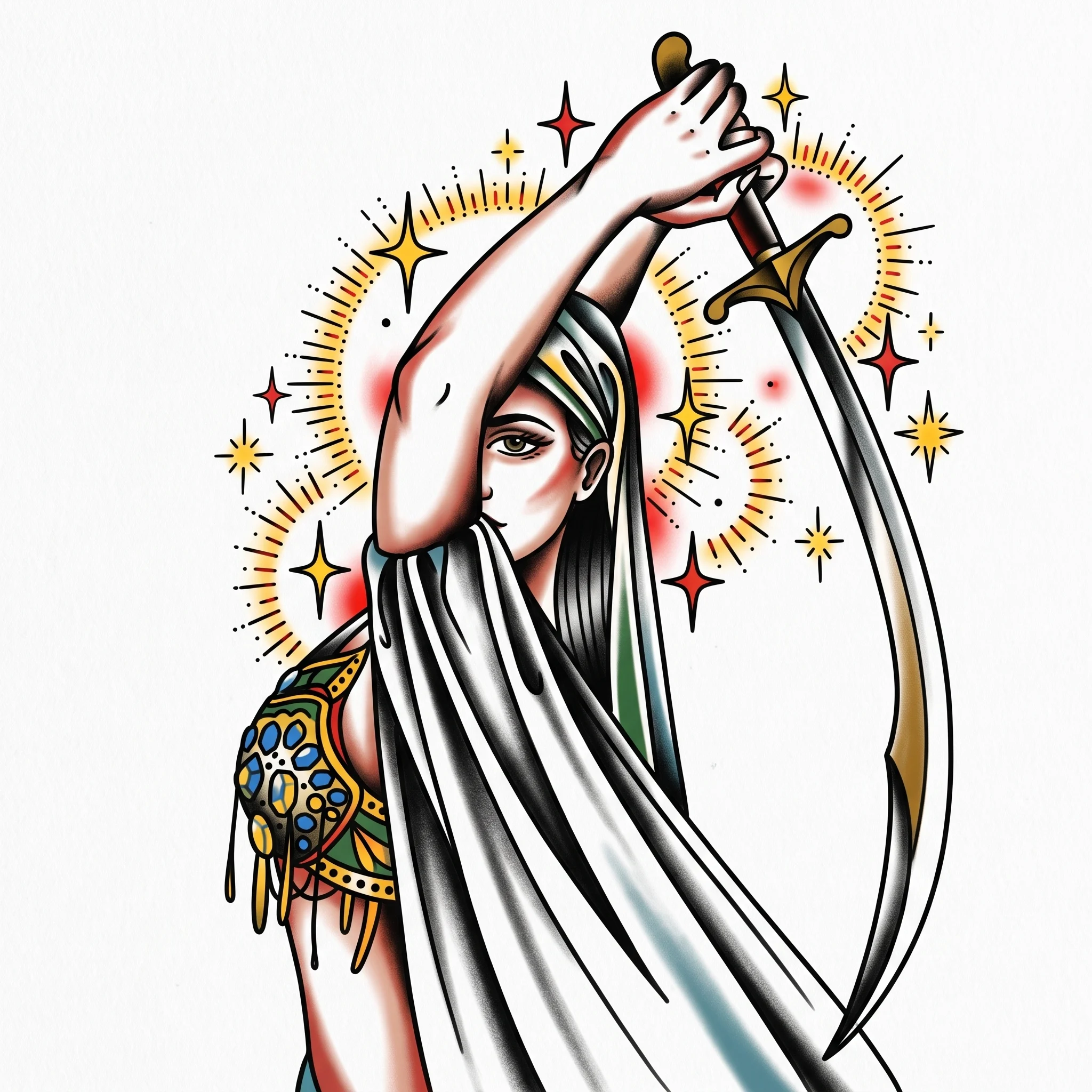
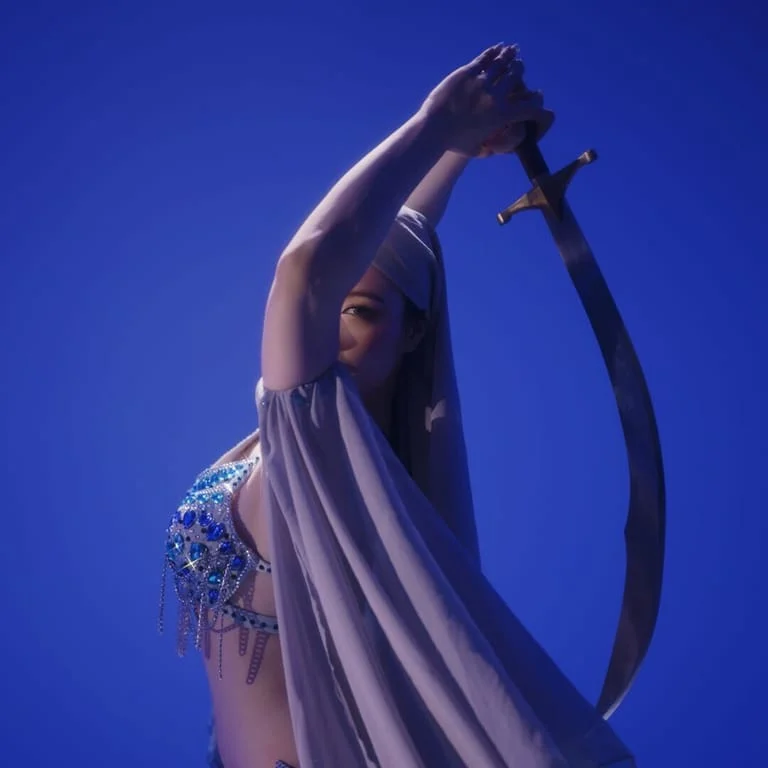
The original portrait has raised arms, a curved sword and blue lighting. Nano Banana 2.1 reinterpreted that composition as an American Traditional tattoo concept: thick black contours, simplified fabric folds, and red and gold accents on a light background.
“Add some halos around it, with a sparkling feeling.”
The returned image includes radiating gold halos and star-shaped highlights around the figure and sword.
Generated on October 10, 2026 at 2K. This is one actual result, shown without retouching beyond web compression. AI interpretations vary; a new request will produce a different concept.
A familiar creature.
A new silhouette.
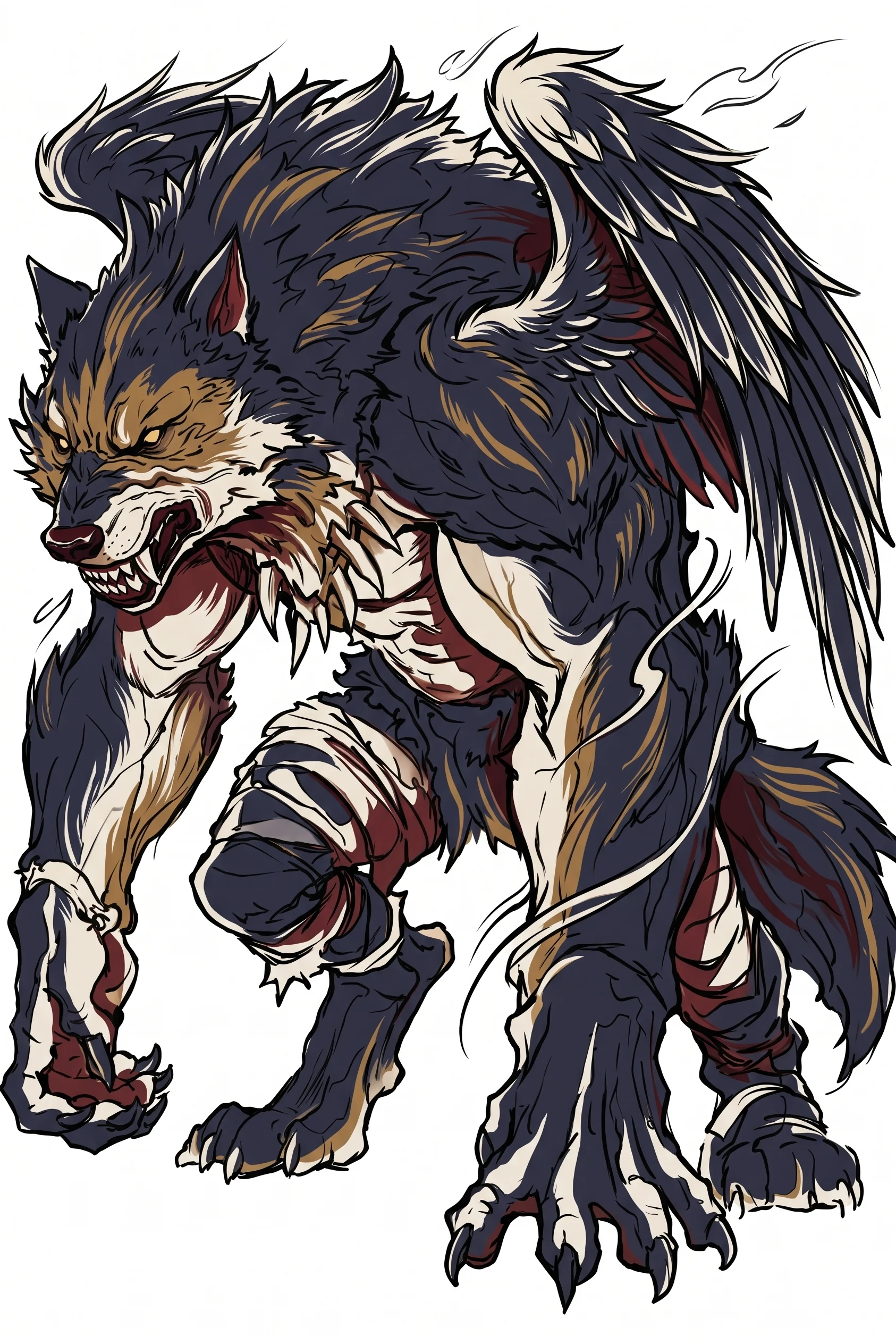
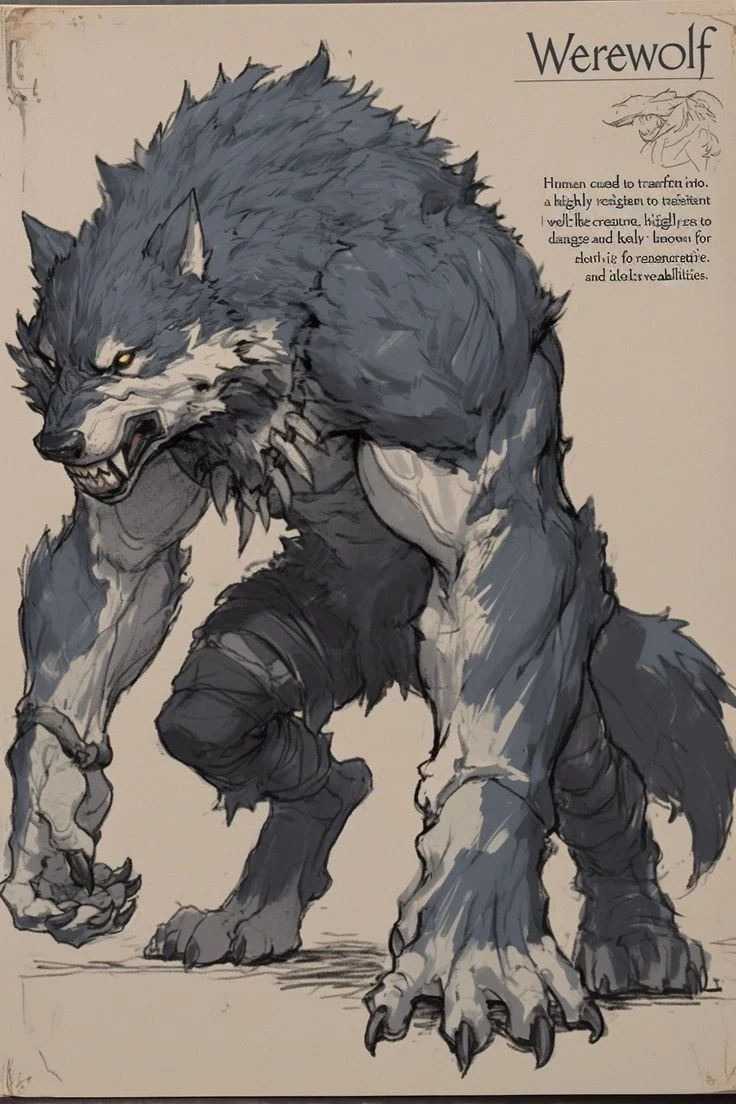
The grey werewolf illustration became a Japanese-inspired concept with dark fur, bold black contours and red and gold accents. The crouched pose and claws remain central, while the added wings change the silhouette.
“Add a pair of wings.”
This completed revision was generated on October 9, 2026 at 2K. Both portrait images fit inside the square comparison without cropping.
Your everyday companion.
A little magic.
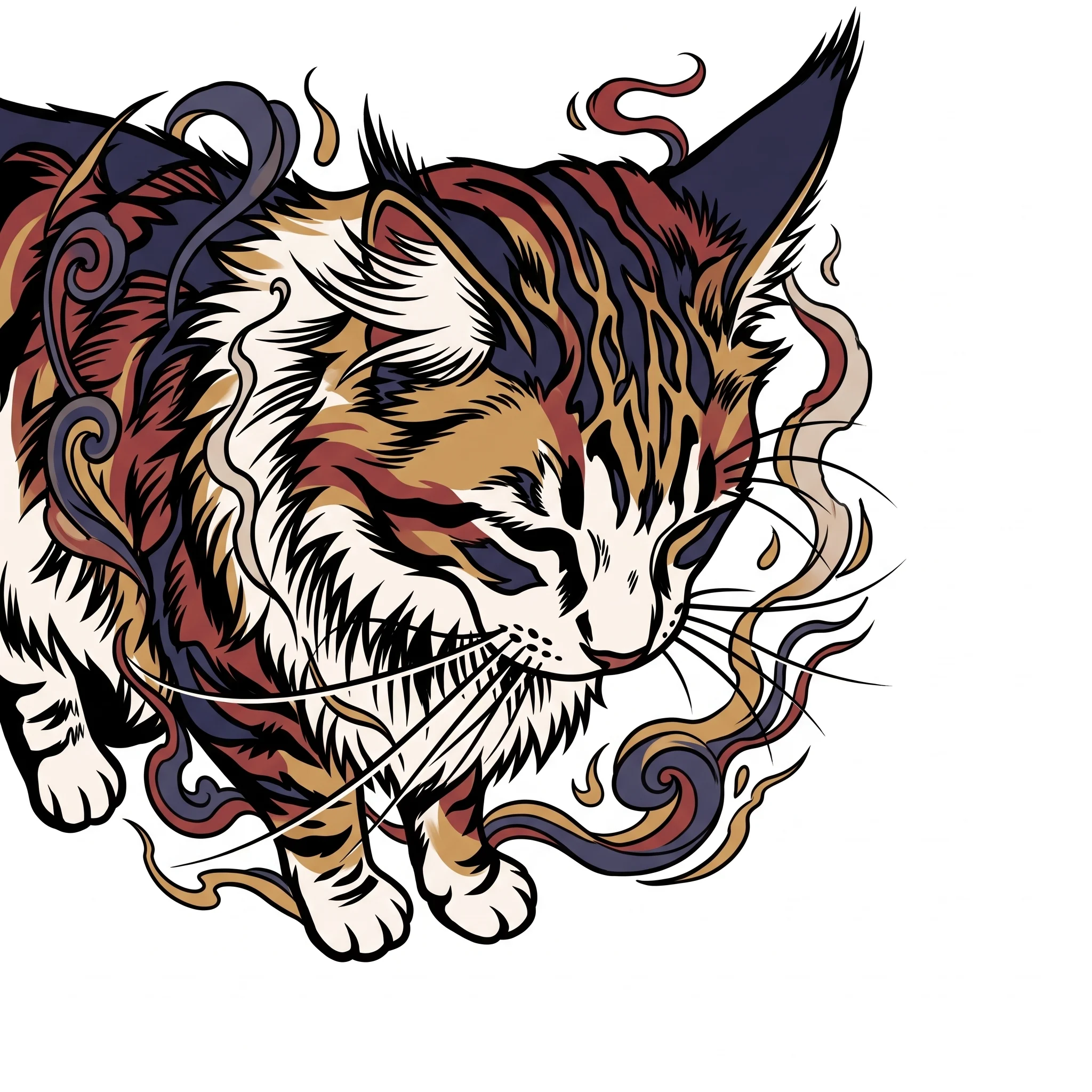
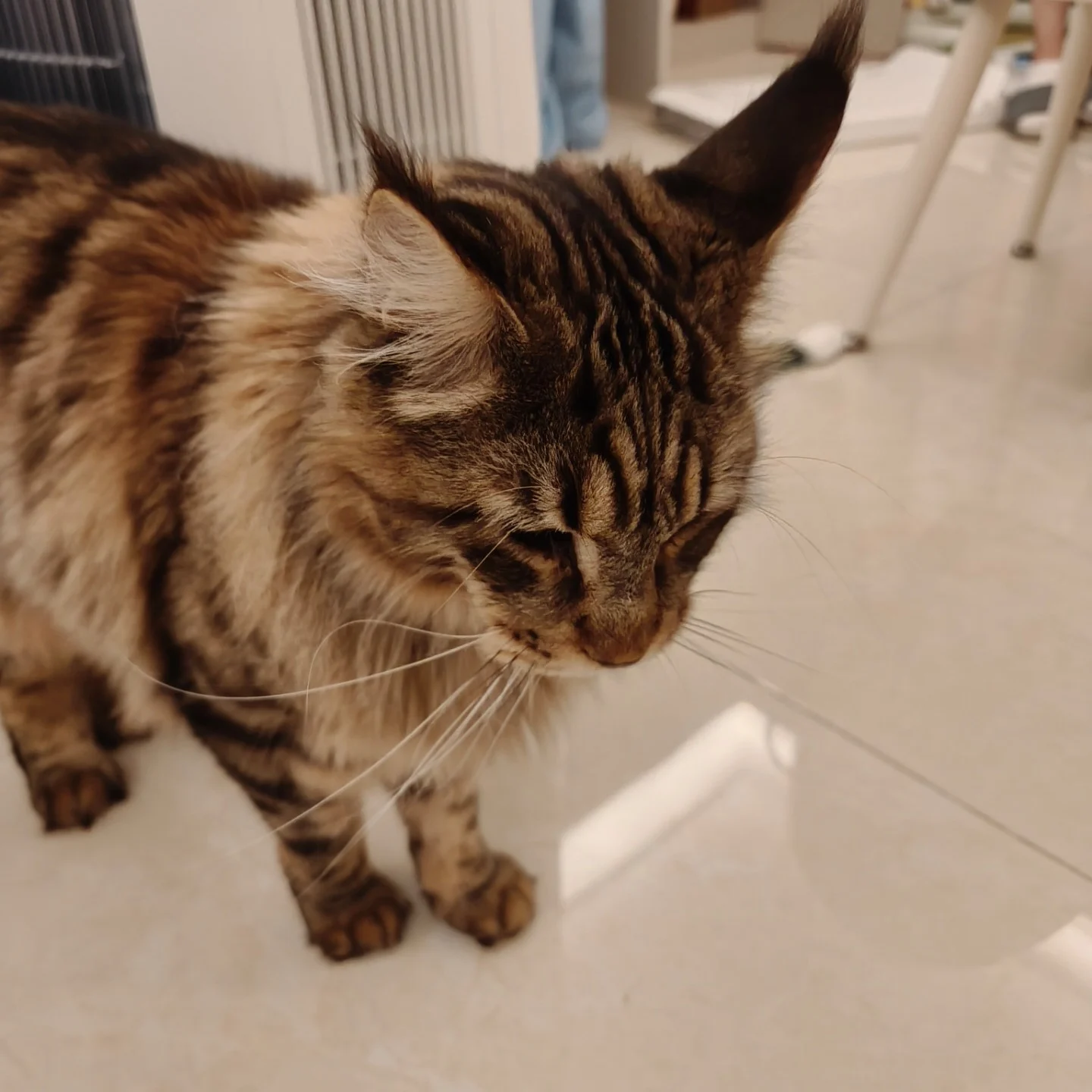
A tabby cat photograph became a Japanese-inspired tattoo concept. The lowered head, stripes and whiskers are reinterpreted with bold linework, red and gold accents, and flowing decorative shapes.
“Front view, with a magical atmosphere.”
This completed revision was generated on October 9, 2026 at 2K.
Create your own Nano Banana tattoo.
- 01 /
Bring your photograph
Open the generator and choose From a photo. Upload a clear image, then crop it to the composition you want to explore.
- 02 /
Choose the direction
Select a tattoo style, add details to keep or change, and choose 1K, 2K or 4K. Review the credit cost, then generate your concept.
- 03 /
Start the conversation
Download your PNG or artist discussion PDF. Bring the idea to a tattoo artist to work through placement, scale and linework together.
Find your kind
of linework.
These real examples show American Traditional and Japanese-inspired concepts. In the generator, you can choose any of these nine directions for your own photo or idea.
- Fine LineFine contours and delicate detail.
- Minimal OutlineA silhouette, with less to say more.
- BlackworkSolid black and deliberate negative space.
- American TraditionalBold outlines. A small, vivid palette.
- Neo-TraditionalDecorative contours and richer color.
- Japanese-inspiredFlowing shapes and woodblock-like color.
- Black & Grey RealismRecognizable form, sculpted with tone.
- WatercolorSoft washes, expressive color edges.
- DotworkLight and shadow, one dot at a time.
Say what matters
in your words.
Let the style selector handle the visual direction. Use your instructions to explain the parts of your photo that matter and the changes you want.
“Keep the raised arms and curved sword. Add gold halos and small stars around the figure. Use a clean light background.”
This is a suggested instruction for a similar idea, not the exact full prompt used for the example. Start with the subject, name what to preserve, then add one or two changes.
Want to start without a photo? Choose From an idea in our AI tattoo generator and describe the design you have in mind.
Choose the detail you need.
New images and revisions use the same resolution-based credits. PNG and artist discussion PDF downloads use no additional credits.
Nano Banana 2.1
tattoo FAQs.
Does PhotoToTattoo actually use Nano Banana 2.1?
Yes. PhotoToTattoo currently uses Nano Banana 2.1 through Kie for image generation. The before-and-after on this page comes from a completed PhotoToTattoo request. PhotoToTattoo is an independent tool and is not an official Google or Kie application.
Can I turn a portrait into a tattoo concept?
Yes. Open the generator, choose From a photo, upload your portrait, then select a style and add your instructions. The example here uses American Traditional. The model may change facial features, proportions or other details, so review the result before sharing it with your artist.
Do I need to write a Nano Banana tattoo prompt?
You do not need to write a technical prompt. Pick a tattoo style and describe what to keep or add in your own words. PhotoToTattoo combines your instructions with the selected style. You can also start From an idea to create a concept without uploading a photograph.
Is this a free tattoo generator?
Viewing this example is free. Creating a concept requires sign-in and available credits. The cost for your selected resolution is shown before you generate. See the pricing page for current credit options.
Can I take the result straight to a tattoo appointment?
Download the PNG and use it to discuss the idea with your tattoo artist. You can also create an artist discussion PDF with placement, size and notes. The concept is not a calibrated stencil; your artist needs to adapt linework, detail and composition for skin.
Will my uploaded photo appear on this page?
No. Your uploads and generated concepts are private by default. This particular photo and result were separately authorized for public display as an example. Your own requests are not automatically added to the gallery.
An idea worth
bringing to your artist.
Create your tattoo conceptPhotoToTattoo is an independent tool using Nano Banana 2.1 through Kie. Learn about the model in Google’s documentation.